












Each month OneUp gets better. But this month's Product Drop is different. We've shipped more than updates - we've shipped a brand new feature.
Here's everything that's new in March 2026.
Meet Coach: Sales Coaching for Target-Driven Recruiters
We've been dropping hints about this one for a while, and now Coach is finally here!
Coach is a product built for recruitment leaders who want use existing 1:1s as a means of driving long-term success. It preps you before every meeting, keeps real-time numbers in view and makes sure nothing slips through the cracks.
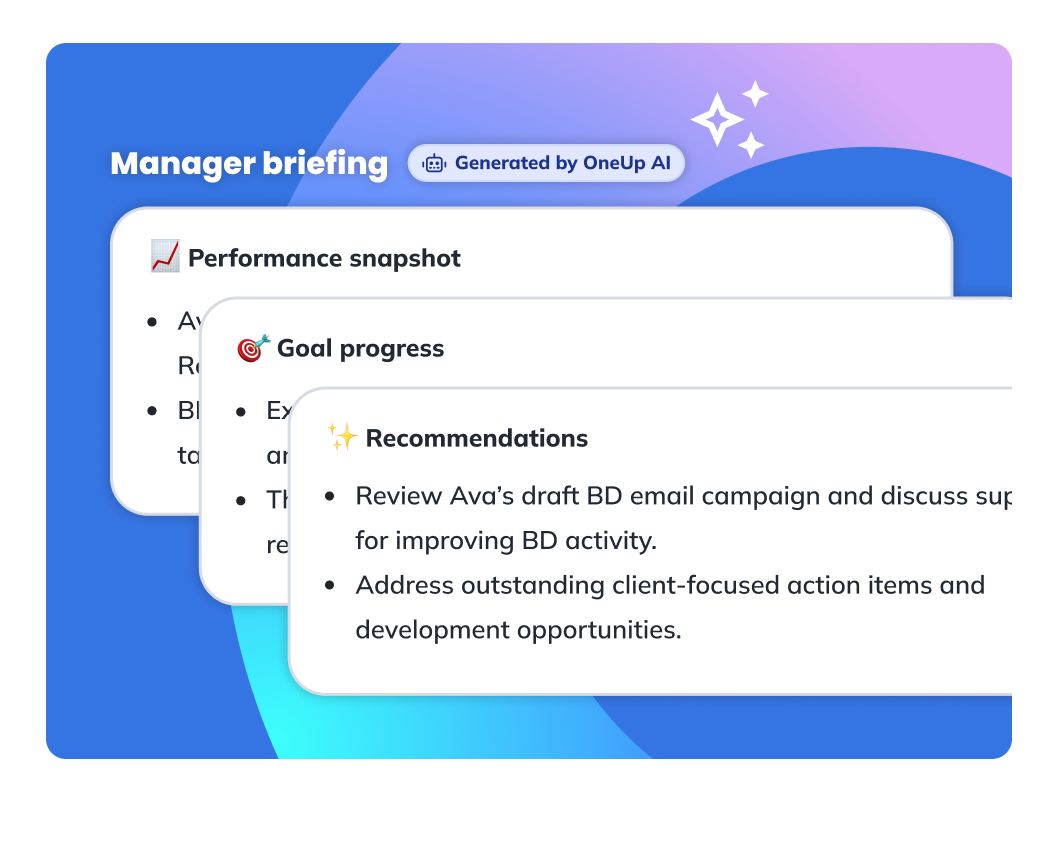
Walk into every 1:1 already briefed.
We've been deliberate about where AI belongs in OneUp. With recruitment being such a people-centric business, we weren't going to add it for the sake of it. Coach is where it earns its place.
Before every 1:1, Coach uses the recruiter's live performance data to spot trends, wins and issues worth talking about, and generates a manager briefing in seconds. Those 30 minutes of getting prepped and play catch-up that most managers do before a meeting? They get reclaimed, and for team leaders with multiple reports, that time adds up - fast.
Every decision made against what's actually happening right now.
Every meeting in Coach is anchored to your recruiter's live targets, activity and pipeline. You never have to wonder whether someone is tracking ahead or behind, and you don't have to switch tabs to find out. The numbers sit in the same view as the conversation itself, so every decision and action gets made against what's actually happening right now.
Actions that carry themselves forward.
If you agree an action in a meeting and no one writes it down, it's gone by Friday. But actions captured using Coach stay in view for your recruiters via our new action items dashboard widget, and carry forward to the next meeting if uncompleted. And with that, accountability becomes easy and automatic.
Built for the new era of employment law.
With new UK employment laws coming into effect, maintaining a clear, consistent and documented trail of performance conversations is no longer just good practice; it's a business requirement. Coach gives you that documented trail without any extra admin - every session is logged automatically and formatted as downloadable PDFs with all the information you need to collect a clean audit trail.

More control for managers. Less friction for everyone.
As teams get more out of OneUp, the number of dashboards tends to grow - and so does the number of reports and metrics you use to drive growth. This month's management improvements bring structure to the platform that scales with your usage.
Your dashboards are better organised.
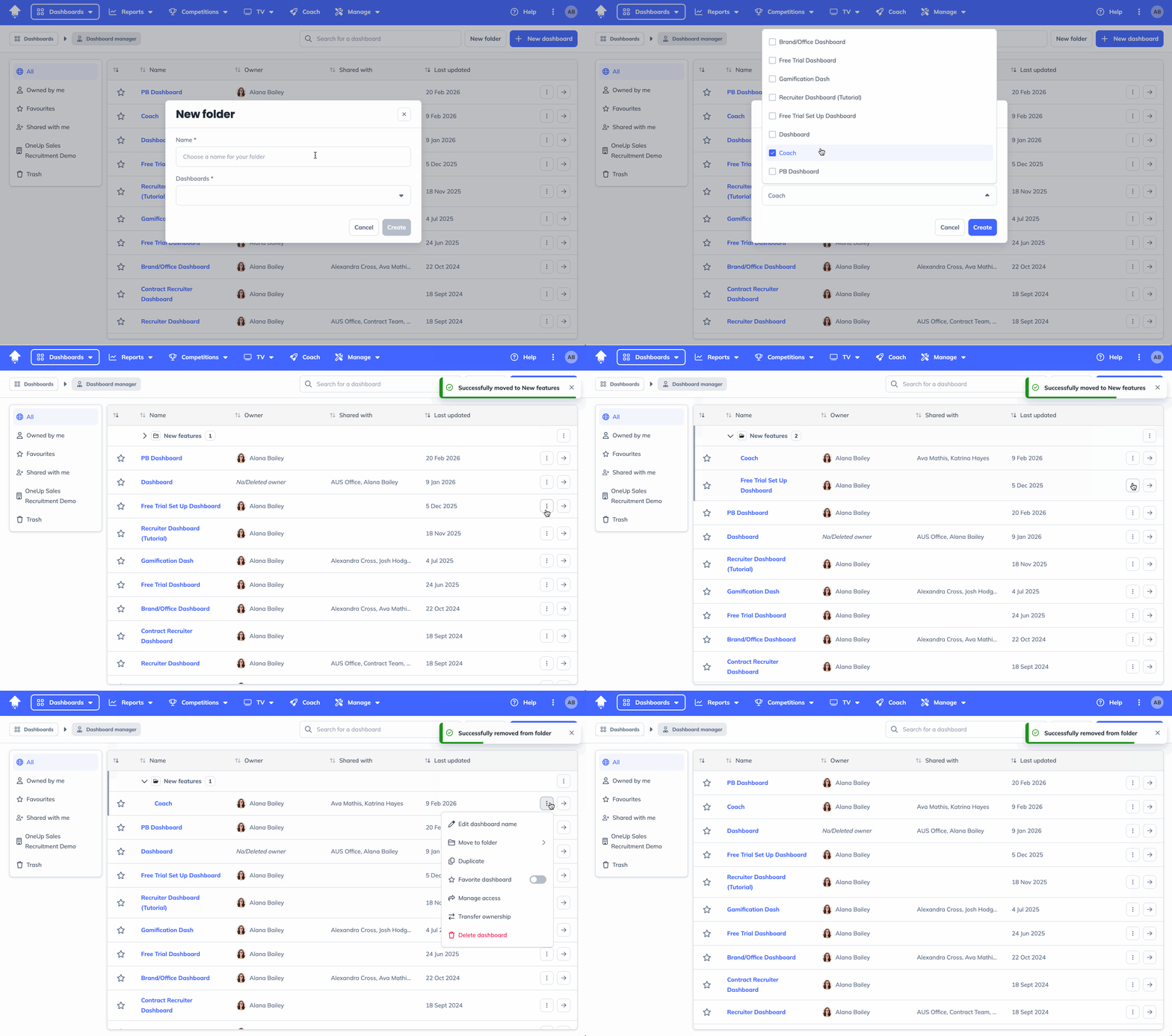
If you manage more than a handful of dashboards, you know the feeling: a growing list with no easy way to find what you need. You can now create folders inside the Dashboard Manager, so you can organise your dashboards exactly how your team works - by division, by market or by whatever makes sense to you!
Build charts in half the time.
Creating a new chart that's similar to one you already have? You can now duplicate any chart, saving you the repetitive setup work.
Know exactly what your metrics are measuring.
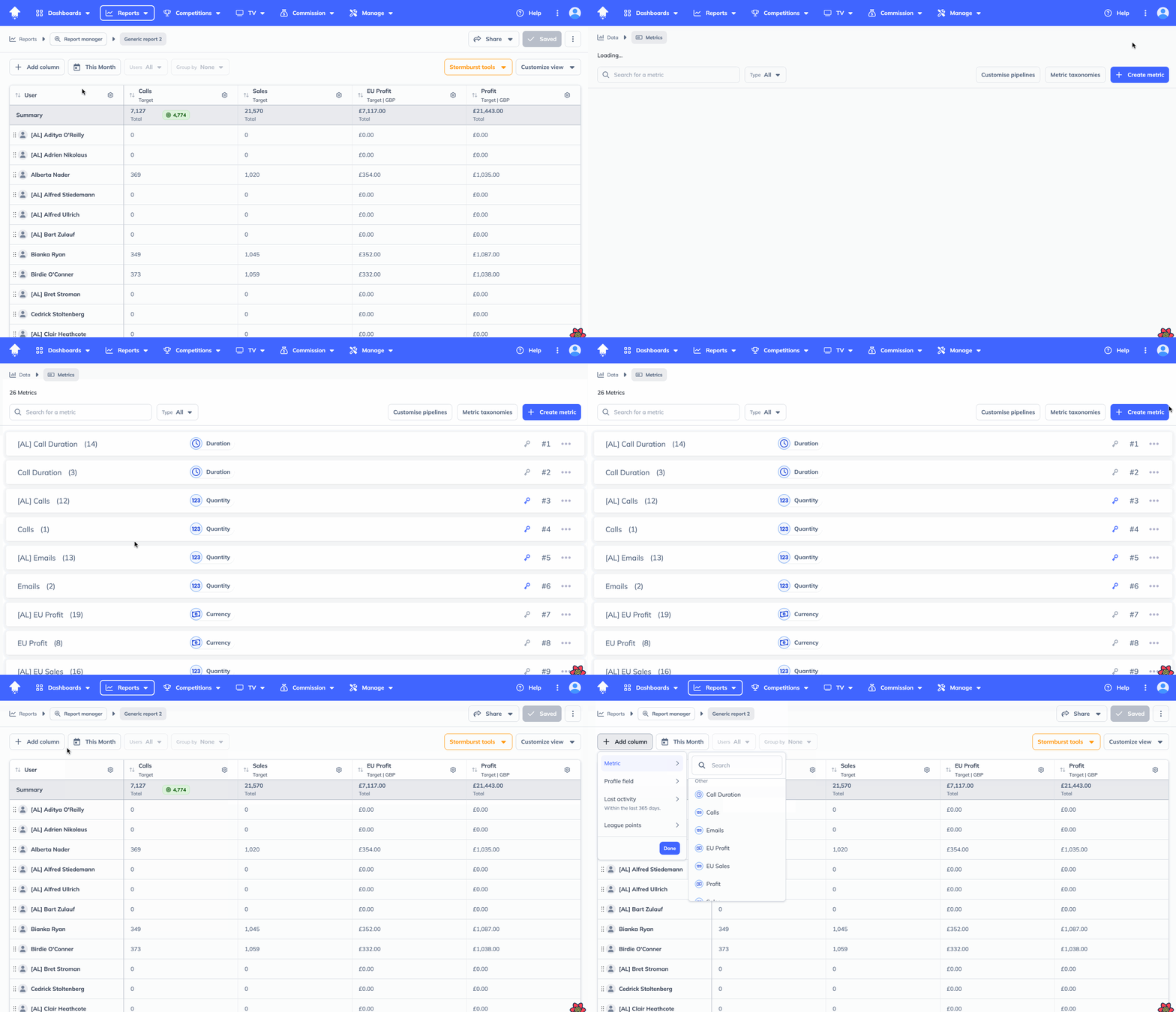
Metrics mean different things in different teams. What counts as a "send" to one recruiter might not be the same for another. You can now write a description for any metric, which surfaces as a tooltip when hovering on the metrics page, and in the metric selector when building reports. It's a small addition that eliminates a lot of silent confusion - especially when it comes to onboarding new team managers or definition alignment.
Data Insights: a more powerful default view.
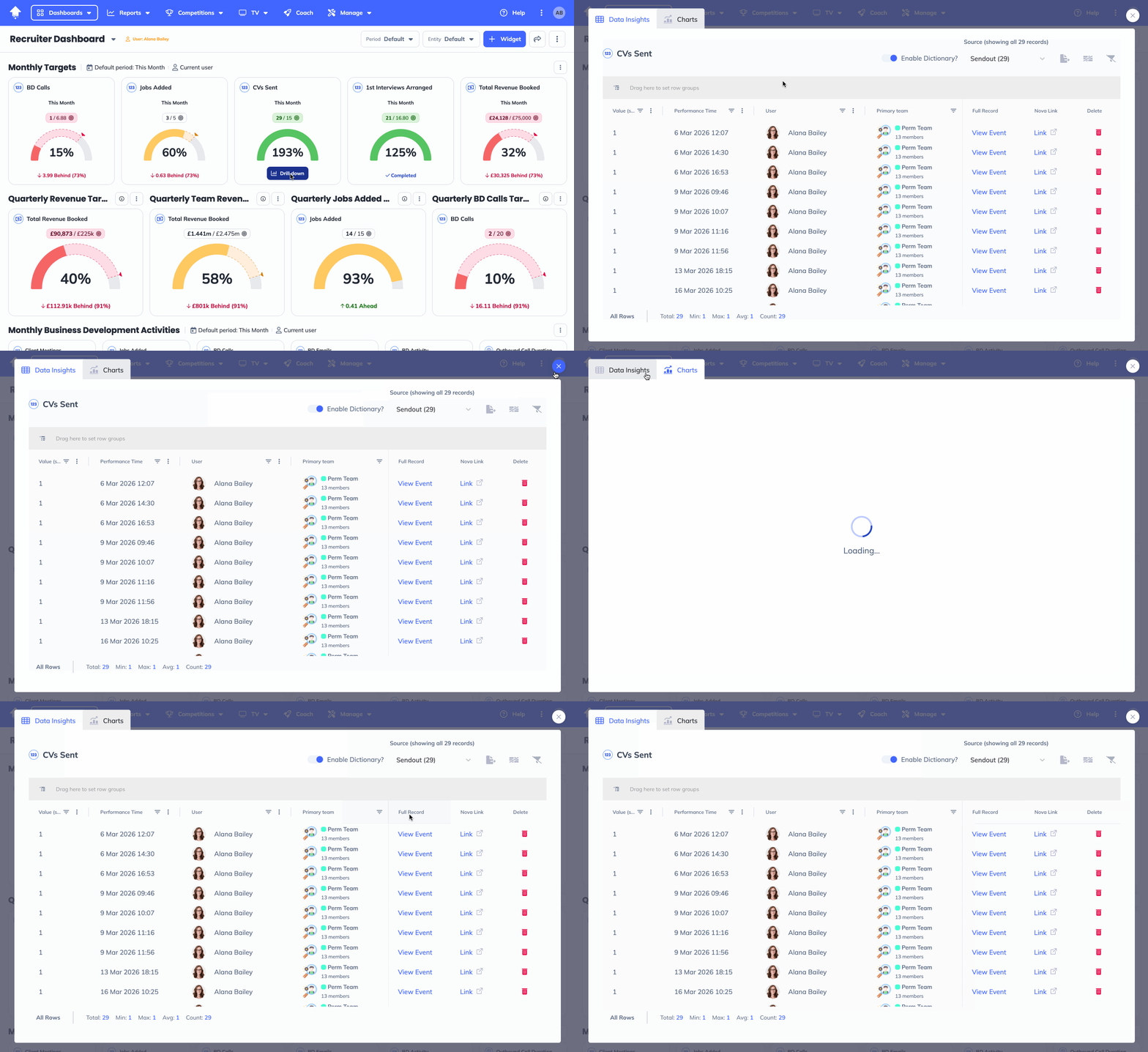
We looked at the data, and 81% of users were opening the Drilldown modal, landing on Charts, and immediately clicking through to the data table. Every single time.
So we've made Data Insights the default view, with Charts second. Less friction, fewer clicks and straight path to the numbers.
More data, less scrolling.
We've also shipped a set of visual improvements to the Data Insights table so you can see more at once. Rows and fonts are more compact, user avatars have been trimmed down, and the actions column now uses icon buttons to clear up the horizontal clutter - same functionality, cleaner layout.
See the data that matters to you.
The Primary Teams column in Data Insights is now optional. If it's not relevant to your setup, you can hide it and keep your view focused on what actually counts.
Competition TV slides: build the hype, celebrate the win.
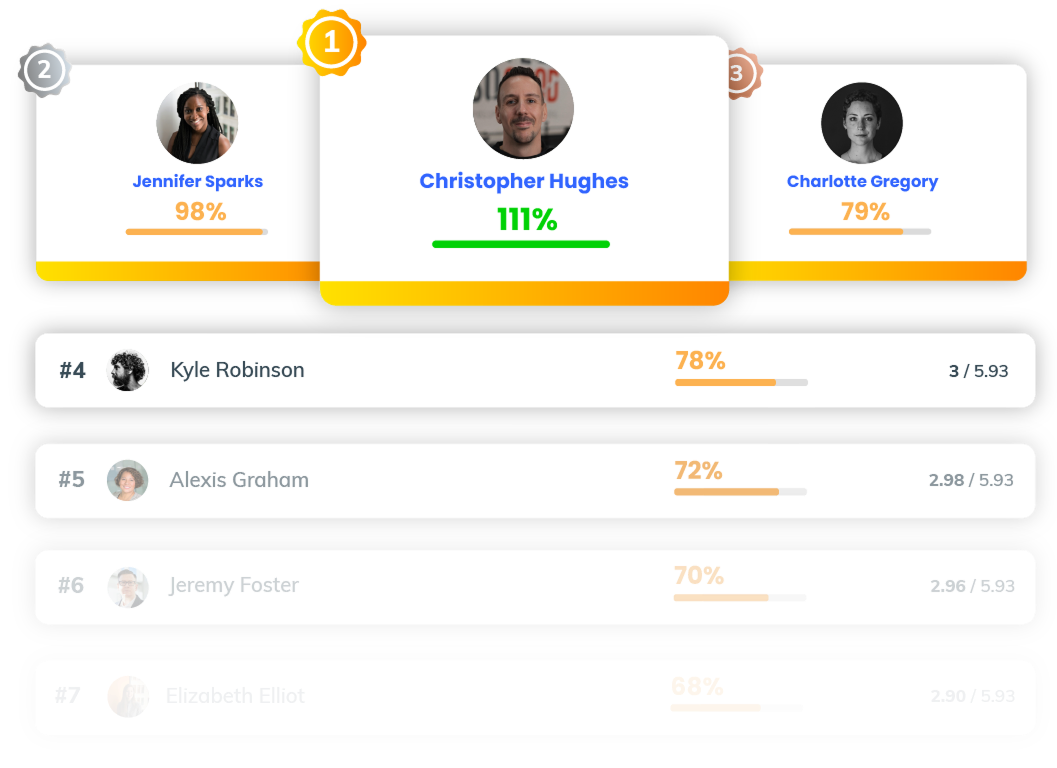
League and Mission slides now let you show leagues that are starting in the next five days, and leagues that ended recently. Both toggles are off by default, so nothing changes unless you switch them on.
This means you can build anticipation before a competition kicks off, and leave a finished league or mission up long enough for the result to land before you move on.
...and one more thing.
We fixed a bug which means the forgot password flow has been refreshed and is now fully responsive on mobile. Small, but worth noting (because no one wants to be locked out of their account on their phone on a Monday morning!)