













.png)
April is a month of follow-throughs. Coach grew up based on your feedback, dashboards got personal, and we cleared a stack of small frustrations that quietly steal hours every week.
Coach landed in March, and the feedback came in fast: meeting structure matters, and one size doesn't fit all. Most of April's Coach work is a direct response to that. Alongside it, we've shipped dashboards that personalise themselves, folders almost everywhere, and a cleaner home for the settings you actually use.
Here's everything that's new in April 2026.
📆 Coach updates: Run every meeting your way
A 1:1 with a top biller doesn't look like a probation review. A developmental coaching session doesn't look like an end-of-month check-in. April's Coach updates make sure the product knows that too.
Run different meetings with templates.
You can now build meeting templates to give your 'catchup's' the structure they need.
Add custom free-text questions, strip out widgets you don't need, reorder what appears on screen, and pin a default template so every new meeting opens the right way for the most common conversation.
If a specific meeting needs a different shape, swap the template on the fly — no rebuild required. Get the most out of every conversation. Start today.
Your calendar, finally connected.
All your Coach meetings now sync to Outlook. Connect your calendar once and meetings — links, invitees and all — drop into the right inboxes automatically.
Move a meeting in Coach and the calendar event updates. Move it in Outlook and Coach reflects the change. When someone joins or leaves a team in OneUp, their upcoming meetings adjust accordingly. New meetings still get created in Coach, but from there, the calendar takes care of itself.
Connect your Outlook calendar →
Keep your target history intact.
Editing a target used to mean overwriting it — and losing everything that came before. Now, when you edit a target, the default is to create a new one: the new target takes over going forward, the original stays preserved in full.
If you genuinely need to change the original in place, a toggle lets you do that. Small change, big difference when you're tracking progress over time.
.gif?width=1430&height=824&name=Apr-23-2026%2009-56-32%20(1).gif)
📊 One dashboard, personalised for every viewer
Show each person their own data.
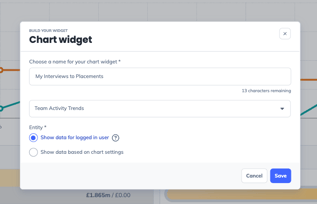
Report and Chart widgets on dashboards can now be set to display the data of whoever's viewing them. One dashboard, automatically personalised for every person who opens it — no more building a separate version for every consultant on the team - what will you do with all the time you save?!
Team leaderboards, now on the dashboard.
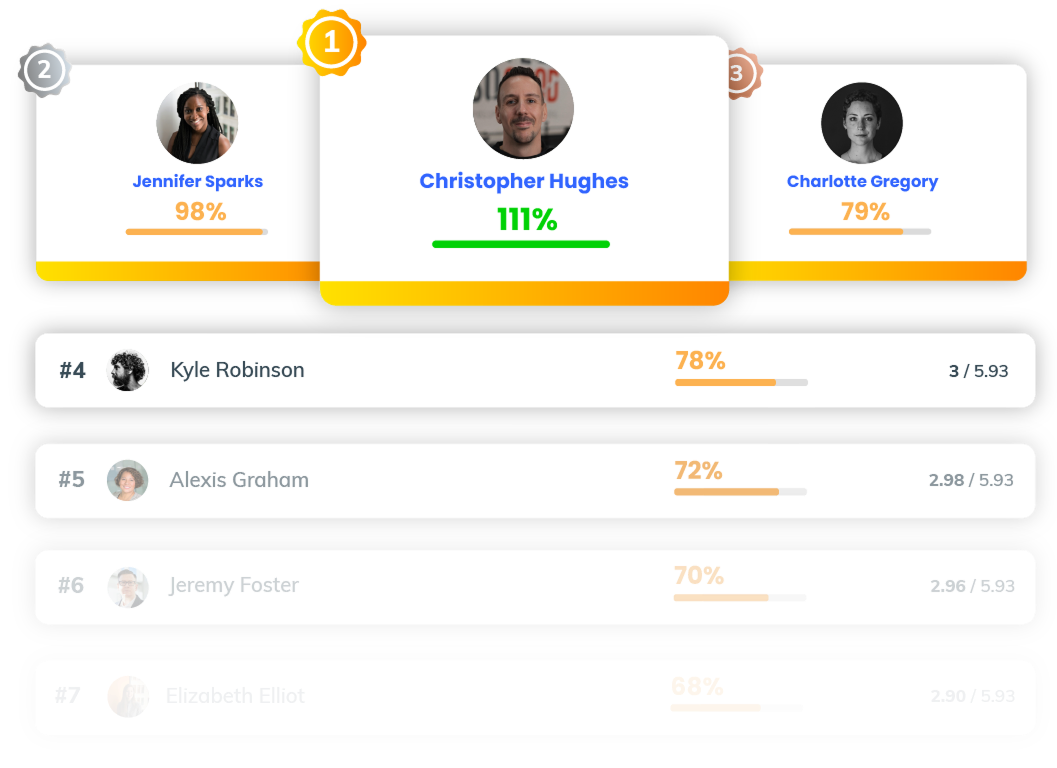
The Leaderboard widget can now rank teams as well as individuals. If you run team-based competitions alongside individual ones, you can surface both on the same dashboard without any workarounds.
🧹A tidier OneUp
As teams use OneUp more, the amount of stuff inside it grows. April is a clean-up month for the sprawl.
Folders, everywhere.
You can now organise automations, leagues, and teams into folders. Group automations by trigger type, structure your teams page by region, do whatever fits how your business actually runs. It's the same logic we applied to reports and TV slideshows, now extended across the rest of the platform.
Search your automations.
If you've built up a library of automations, you know how long it can take to find the right one. You can now search them by name. That's it. That's the feature.
Duplicate teams in one click.
Copying a team now takes seconds. Duplication carries over members and their permissions — ideal when you're spinning up a new region, pod, or desk that mirrors an existing one.
Settings: cleaner, better organised, in one place.
Roles and Permissions has a new look — reorganised around the features your team actually recognises, and fully responsive. SSO settings and individual user settings have moved alongside it so, if you're an admin, the whole toolkit now lives in one place.
🎯More from your data
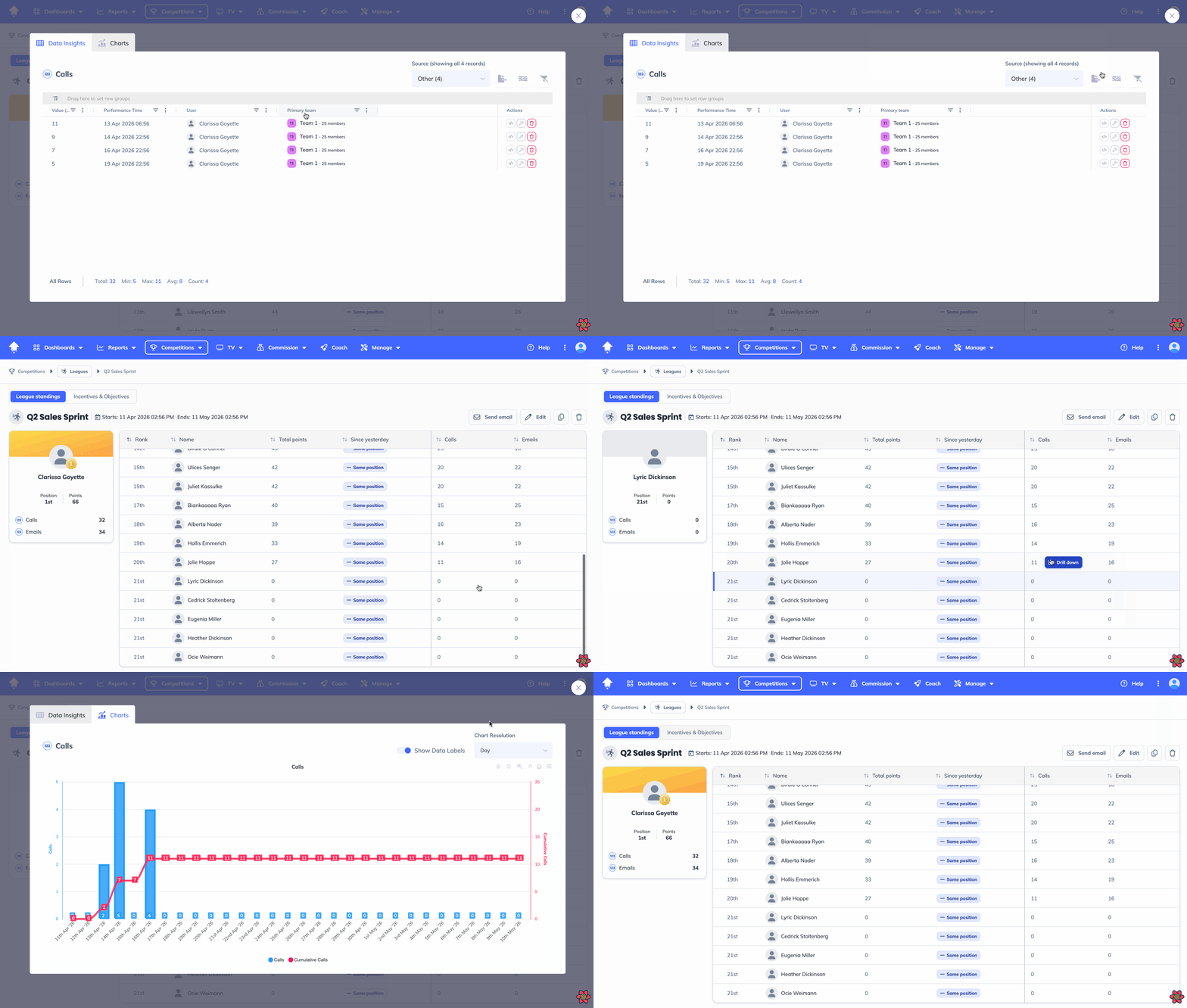
Drill down on league metrics without leaving the page.
You can now drill into the numbers behind your league standings directly from the table. No detour through reports to figure out what's driving the scores. The data is one click away.
More context in Job Pipeline reporting.
Job Pipeline reports now show value, weighted value, and furthest candidate stage as sortable columns. Compare across jobs and get a sharper picture of where your pipeline actually stands.
✨...and a couple more things.
Chart filters that actually work.
Filtering charts by users or teams used to be a guessing game. We've fixed the usability so your filter applies cleanly and you can see it's done what you expected.
Mission TV slides, on early and after the win.
Missions running on your office TVs now have the same two toggles we shipped for leagues last month: show missions starting in the next five days, and show missions that ended recently. Build the hype before kick-off, leave the win on screen long enough for everyone to see it.
Don't miss the next drop.
Sign up below to be the first to hear about new features as soon as they ship.